
TABLE OF CONTENTS
- Objective:
- Case Scenarios:
- Step-by-Step Process for Scenario 1: Wrong Recipient with Proof of Delivery Image
- Step-by-Step Process for Scenario 2: Customer Received an Item They Did Not Order
- Step 1 – Acknowledge the Issue and Advise the Customer on Next Steps
- Step 2 – Collect Required Information Before Issuing a Prepaid Return Label
- Step 3 – Manage Customer Expectations & Arrange Pickup/Replacement
- Step 4 – Create Aftersales Tickets to OPS Team
- Step 5 – Follow Up with Customer After Pickup Is Scheduled
Objective:
To guide agents through the correct steps when managing wrong delivery cases, ensuring the issue is identified accurately and resolved quickly for the customer.
Case Scenarios:
Criteria for Wrong Recipient Cases:
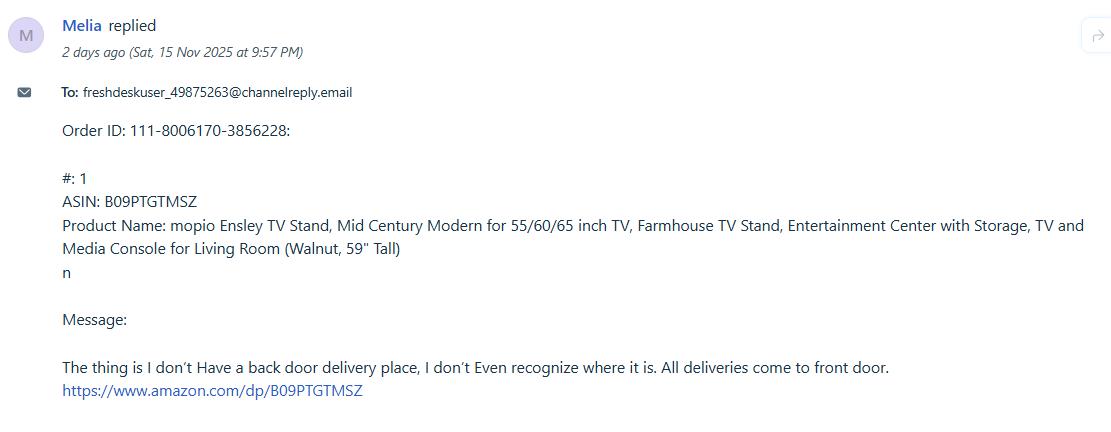
Scenario 1: Delivered with Proof of Image BUT Customer Confirms It Is Not Their Property
The parcel is marked as delivered and a delivery image is available, but the customer confirms that the address or location shown in the proof image is not theirs.
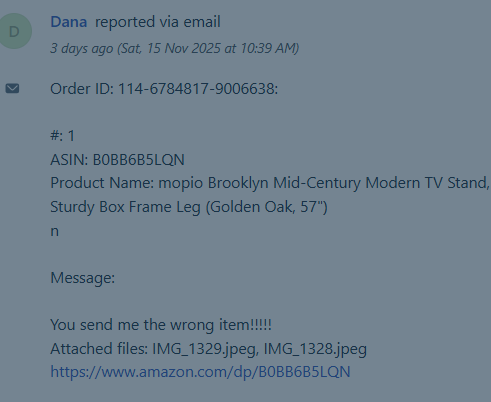
Scenario 2: Customer Declares They Received an Item They Did Not Order
The customer reports that they received an item that does not belong to them and confirms that they did not place an order for the product delivered.
Step-by-Step Process for Scenario 1: Wrong Recipient with Proof of Delivery Image
Step 1 – Share Delivery Details and Confirm with the Customer
Provide the customer with all available delivery information, including:
Parcel status
Tracking number(s)
Delivery date and time
Any remarks shown on the tracking page
Proof of delivery image (if available)
Ask the customer to confirm whether they successfully received the parcel shown in the image. And check their shipping address
Step 2 – Proceed With Resolution if the Parcel Does Not Belong to the Customer
If the customer confirms that the parcel shown in the delivery image is not their property:
Step-by-Step Process for Scenario 2: Customer Received an Item They Did Not Order
Step 1 – Acknowledge the Issue and Advise the Customer on Next Steps
When a customer reports receiving an item they did not order, acknowledge their message and explain the actions that will be taken to correct the error.
Step 2 – Collect Required Information Before Issuing a Prepaid Return Label
Agents must request the following photos to verify the error and ensure proper processing:
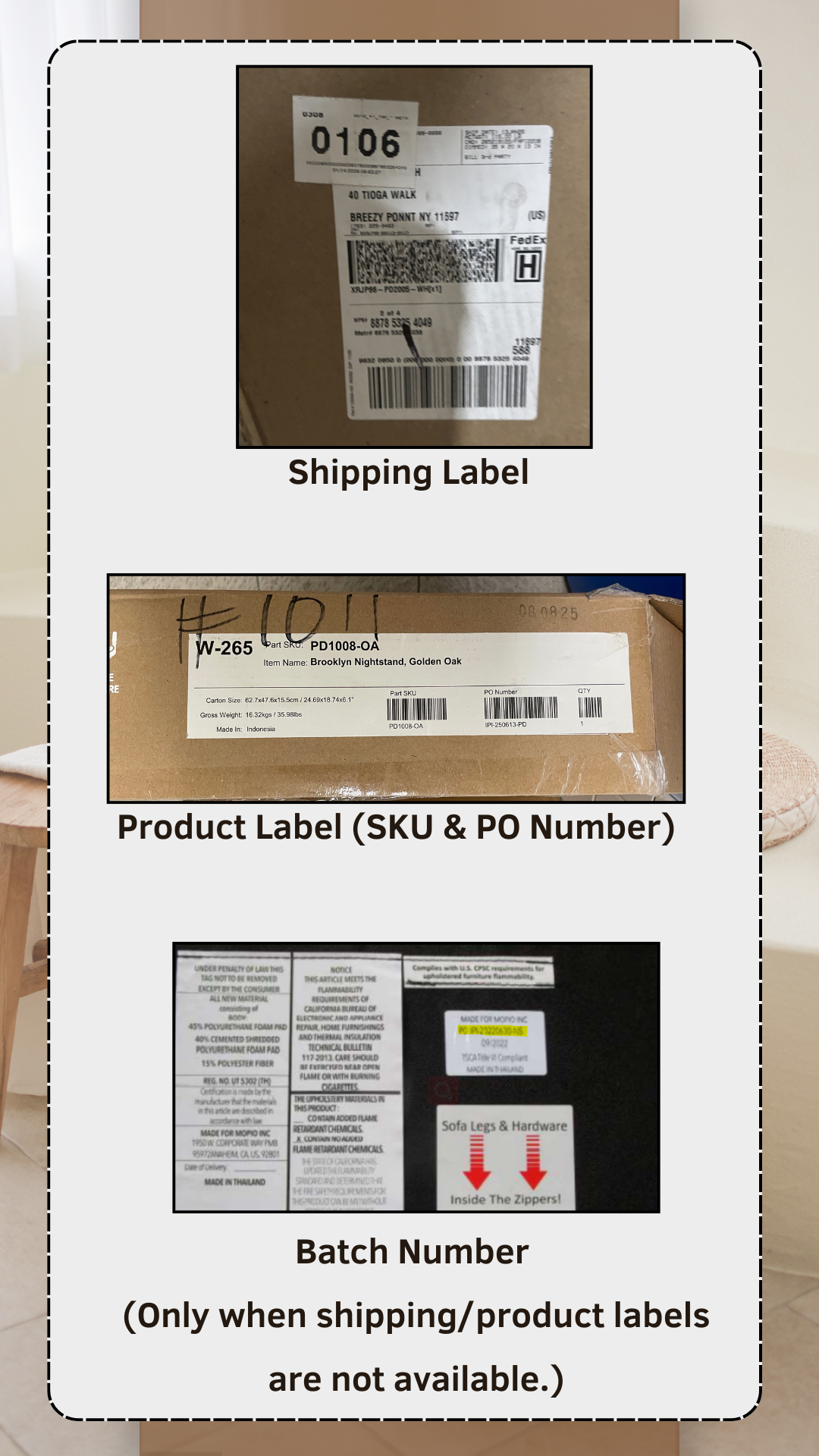
Photo of the Shipping Label(s)
Must clearly show the customer’s name, address, and any tracking details.
Photo of the SKU Label(s)
Should display the product name/SKU attached to the item received.
Photo of the Item Received
A clear image of the actual product the customer received in error.
The reason why it is very important for us to obtain the image of the shipping label is because, we need to investigate where the root of the problem is - if it was wrongly dispatched by warehouse or, inaccurately labelled by factory. This will allow us to reach out to relevant team and feedback accordingly.
Example of canned response:
Hi [Customer's Name],
Thank you for reaching out, and greetings from Mopio!
We’re sorry to hear that you received the [wrong color/component]. We’d like to resolve this for you promptly.
To help us better understand the situation and provide the right solution, could you please send us the following images:
1. Photo of Shipping Label(s) (customer's details) and Product label(s) (SKU & PO number)
2. A photo of the item you received
For your reference, we’ve attached sample images to this message.
Thanks so much for your cooperation, I look forward to your reply so we can get this sorted for you!
----------------------------------------------------------------------------------------------------------------------
Step 3 – Manage Customer Expectations & Arrange Pickup/Replacement
Once the customer has provided the required images and it is confirmed that the item received is incorrect, agents must set clear expectations and proceed with the next steps:
Inform the Customer of the Next Steps
Let the customer know that we will:Provide a prepaid return label, and
Arrange for FedEx pickup of the incorrect item.
Replace the correct product
Coordinate Pickup Schedule
Ask the customer for their preferred date and time for FedEx to collect the parcel.Note: FedEx does not operate on weekends for pickups, so only weekday dates should be offered.
Gather Replacement Details
Confirm the customer’s details for the replacement order, including:Full name
Shipping address
Step 4 – Create Aftersales Tickets to OPS Team
After confirming details with the customer, agents must raise two separate aftersales tickets to the OPS team:
Aftersales Ticket 1 – Request for Prepaid Return Label & Pickup Arrangement
Include customer’s preferred pickup date and time.
Attach all required photos.
Specify that FedEx pickup is needed due to logistic error.
Aftersales Ticket 2 – Request for Replacement of the Correct Product
Issue type shall be Wrong Packing by Warehouse
Provide full customer details for the replacement.
Specify the correct product to be shipped.
Step 5 – Follow Up with Customer After Pickup Is Scheduled
Once OM has generated the prepaid return label and provided confirmation of the FedEx pickup date and time, agents must follow up with the customer regarding the incorrect parcel that is scheduled for collection. This follow-up is essential to ensure the customer is informed and not left waiting without updates.